
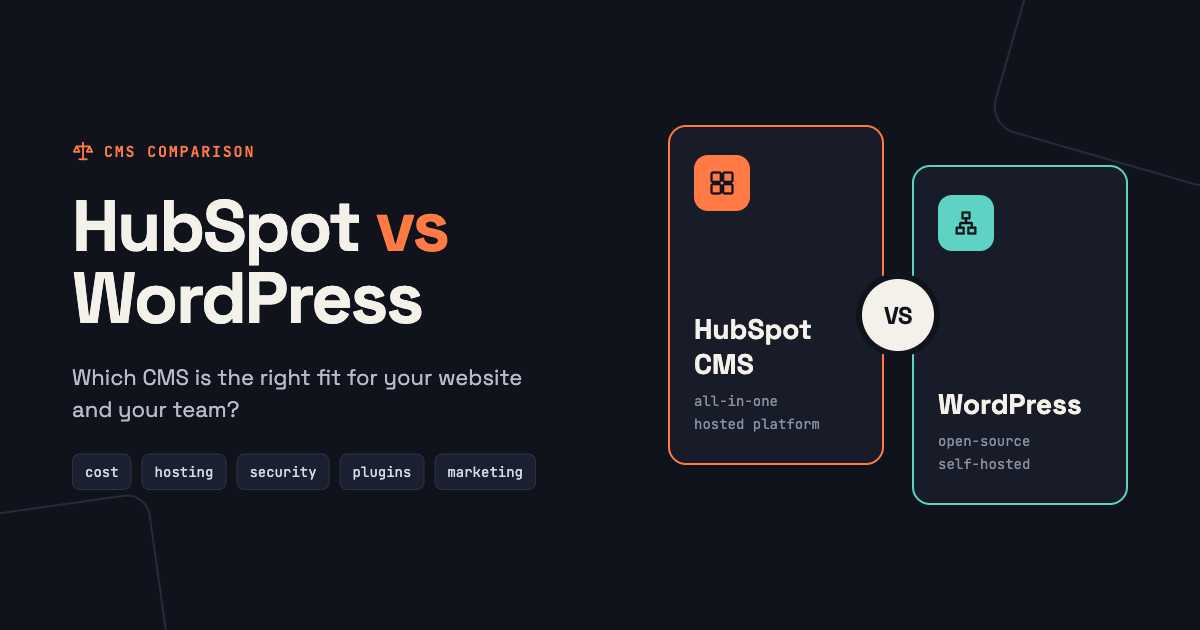
Choose HubSpot CMS if you already use (or plan to use) the HubSpot CRM, want your marketing team to edit the site without a developer, and would rather pay a subscription than manage hosting, plugins and security. Choose WordPress if you need maximum flexibility, a very low software budget, a large online store, or full control over hosting and code.
We build on HubSpot, but we also migrate sites away from WordPress every month, so we see the strengths and weaknesses of both. Here is the comparison without the sales pitch.
HubSpot CMS vs WordPress at a glance
| HubSpot CMS (Content Hub) | WordPress | |
|---|---|---|
| Software cost | Monthly subscription by edition | Free software, paid hosting, themes and plugins |
| Hosting, SSL, CDN | Included and managed | You choose and manage them |
| Security and updates | Handled by HubSpot | Your job: core, themes and plugins |
| Editing | Drag-and-drop modules from your theme | Block editor or page builders such as Elementor |
| CRM and marketing tools | Native: forms, contacts, email, reporting | Plugins and integrations |
| Personalization and A/B tests | Built in on Professional and above | Plugins or third-party tools |
| Flexibility | High, within HubSpot's platform | Very high: thousands of plugins and full code access |
| E-commerce | Basic payments, not a full store | WooCommerce for full online stores |
| Developer skills | HubL, HubSpot themes and modules | PHP, WordPress themes and plugins |
Cost: subscription vs total cost of ownership
WordPress software is free, which makes it look cheaper. The real comparison is total cost over two or three years:
- WordPress costs include hosting, premium themes and plugins, security tools, backups, and the time someone spends on updates and fixing conflicts. A business site also needs a CRM, forms and email tools, which are separate subscriptions.
- HubSpot costs are mostly the Content Hub subscription, which includes hosting, SSL, a CDN, security and the marketing tools. Features such as smart content and A/B testing need the Professional edition. See HubSpot's pricing page for current prices.
For a simple brochure site that doesn't need a CRM, WordPress is usually cheaper. For a B2B company that would otherwise pay for a CRM, marketing automation and a maintenance retainer, HubSpot is often comparable or cheaper overall.
Editing: who can change the site?
On HubSpot, editors build pages from the modules in your theme and change content in simple fields. Good themes make it hard to break the layout. On WordPress, the block editor and page builders are flexible, but sites built with heavy page builders often become slow and inconsistent as more people edit them.
On both platforms, the quality of the theme decides how easy editing is. A clean HubSpot theme with clear module fields is the main reason marketing teams choose HubSpot.
Security and maintenance
This is HubSpot's clearest advantage. There are no plugins to update and no server to patch, and HubSpot manages SSL, the CDN and protection against common attacks. WordPress powers a huge share of the web, which makes it a constant target, and outdated plugins are one of the most common ways sites get compromised. Keeping WordPress secure is very doable, but it is ongoing work someone has to own.
SEO
Both platforms can rank well. Rankings come from content, links and technical quality, not from the CMS name.
- HubSpot includes sitemaps, canonical tags, SSL, a redirect manager and on-page SEO recommendations out of the box.
- WordPress relies on plugins such as Yoast or Rank Math, which are powerful and give fine control over technical details.
Page speed depends mostly on the theme. A lean theme is fast on either platform; a heavy page builder or a theme loaded with sliders is slow on either.
Flexibility and integrations
WordPress wins on raw flexibility. There is a plugin for almost everything, you control the server, and any PHP developer can extend it. HubSpot is more opinionated: you work within its themes, modules, HubDB, serverless functions and APIs. That covers most marketing websites, but very unusual features can take more work on HubSpot.
On the other hand, anything connected to your CRM, such as forms, personalization, lead scoring and attribution, works out of the box on HubSpot and needs integrations on WordPress.
Who should choose HubSpot CMS
- B2B companies using or adopting the HubSpot CRM.
- Marketing teams that want to launch pages without a developer.
- Companies that don't want to manage hosting, plugins and security.
- Teams that want personalization, testing and attribution in one system.
Who should choose WordPress
- Sites with a very small budget and simple needs.
- Large online stores that need WooCommerce or similar.
- Projects that need unusual functionality or full server control.
- Teams with in-house WordPress developers who already maintain the site well.
For a deeper look at what HubSpot offers, read the benefits of the HubSpot CMS.
Switching from WordPress to HubSpot
If you decide to move, the most important part is protecting your search rankings: inventory every URL, rebuild key pages as editable modules, and redirect every old URL to its new page. Our WordPress to HubSpot migration checklist walks through each step.
Frequently asked questions
Is HubSpot better than WordPress?
Neither is better for everyone. HubSpot is better when you want the website, CRM and marketing tools in one managed system; WordPress is better when you need maximum flexibility or the lowest software cost.
Is HubSpot CMS good for SEO compared to WordPress?
Yes. Both can rank well. HubSpot includes the technical basics by default, while WordPress uses SEO plugins for the same tasks.
Can I use HubSpot CRM with a WordPress website?
Yes. HubSpot's WordPress plugin adds forms, chat and tracking to a WordPress site. You lose some features that need the HubSpot CMS, such as smart content on your pages.
How hard is it to move from WordPress to HubSpot?
A small site on a ready-made theme can move in a few weeks. Larger sites take longer, mainly because of content and redirects.
Thinking about moving to HubSpot?
We handle WordPress to HubSpot migrations with every page, post, form and redirect mapped, at a fixed price. Tell us about your site and get a quote within one business day.