
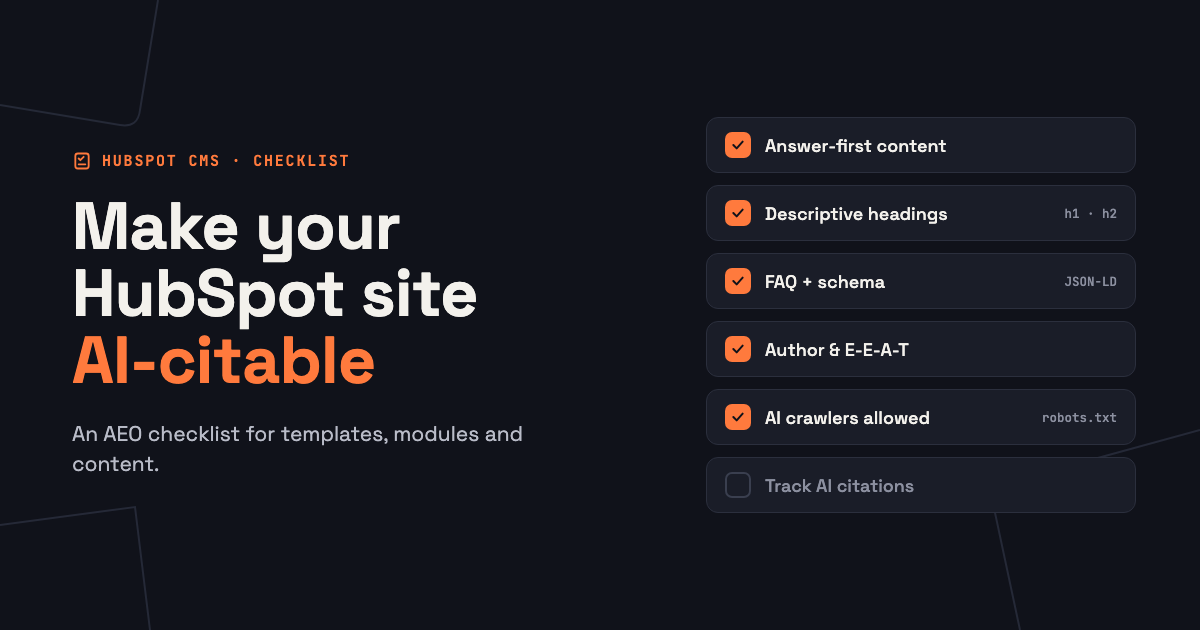
To make a HubSpot website easier for AI answer engines to cite, put a direct answer at the top of every page and section, use descriptive headings, add FAQ sections with structured data, show who wrote the content, keep important pages up to date and make sure AI crawlers can reach your site. Most of these are settings in your HubSpot templates and modules, so you set them up once and every page benefits.
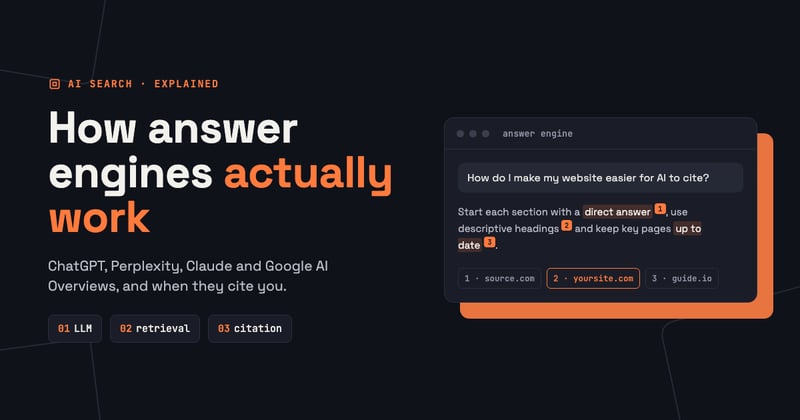
This checklist is what we use when we build or audit HubSpot sites for answer engine optimization (AEO). If you're new to the topic, start with What Is Answer Engine Optimization? and How Answer Engines Work.
1. Write answer-first content
AI systems lift short passages, not whole pages. If the answer sits in paragraph six, they'll find a source where it sits in paragraph one.
- Start every blog post and service page with a two or three sentence answer to the main question.
- Start every H2 section with one sentence that answers that section's heading.
- Use concrete facts: numbers, prices, time frames, names of tools and steps.
- Make each section make sense on its own, without "as mentioned above".
2. Use headings that say what they answer
- Write H2s as questions or clear statements: "How long does a HubSpot migration take?" instead of "Timeline".
- Keep one H1 per page. In HubSpot, the blog post title is the H1, so don't add another one in the body.
- Check custom modules: designers sometimes use H2 or H3 tags for decoration, which confuses the outline. A heading-level field in the module solves this.
- Use lists and tables for steps and comparisons. They're the easiest formats for an AI to extract.
3. Add FAQ sections and structured data
Structured data (schema markup) tells machines what a page contains: an article, a product, a set of questions and answers. It doesn't guarantee a citation, but it removes guesswork.
- Blog posts: add an FAQ section at the end with the questions your customers really ask.
- FAQ module: build a reusable HubSpot FAQ module that outputs both the visible accordion and matching FAQPage JSON-LD, so editors never touch code.
- Organization and author schema: add these once in the theme's base template, with your logo, social profiles and contact details.
- One-off pages: a page's Head HTML setting (under advanced options) can hold extra JSON-LD.
We explain how to build modules like this in How to Build a Custom Module in HubSpot.
4. Show experience and expertise (E-E-A-T)
- Assign a real blog author to every post, with a bio, photo and links to their profiles.
- Make sure the blog post template actually shows the author and the publish or update date.
- Include first-hand experience: your own projects, results, screenshots and lessons learned. That's the content AI can't get from anyone else.
- Link to credible sources when you quote numbers.
5. Keep content fresh
Answer engines prefer current information, and an outdated price or feature list is a reason to skip your page.
- List your 20 most important pages and posts, and review them every quarter.
- Update facts, screenshots and years in titles, and say what changed.
- Remove or redirect pages that are no longer true. Use 301 redirects in HubSpot's URL redirects settings, as described in our migration checklist.
6. Let AI crawlers in and keep the site fast
- Check your robots.txt in HubSpot's website settings. Make sure you aren't blocking the crawlers of the AI tools you want to be cited by, such as OAI-SearchBot, PerplexityBot and Googlebot.
- Don't hide key content behind tabs that load only with JavaScript, behind logins or inside images. Put the answer in plain HTML text.
- Keep pages fast: compress images, load only the scripts a page needs, and fix issues flagged in HubSpot's SEO recommendations.
- Keep the XML sitemap clean, without redirected or deleted URLs.
7. Build brand mentions, not only links
Answer engines check whether independent sources agree that you're credible. Mentions count even without a link.
- Keep your company name, description and services consistent on your site, LinkedIn, directories and marketplaces.
- Collect reviews on the platforms your buyers use.
- Answer questions in communities where your customers ask them, such as the HubSpot Community or Reddit.
- Publish original data or case studies that others want to reference.
8. Track AI visibility
Measuring AEO is still young, so combine a few signals:
- A prompt list: write 20 questions your buyers ask and run them monthly in ChatGPT, Perplexity, Claude and Google. Note whether you're cited or mentioned.
- Referral traffic: watch visits from chatgpt.com, perplexity.ai and similar sources in HubSpot's traffic analytics.
- Search Console: pages with rising impressions and falling clicks are often being answered on the results page.
- HubSpot AEO tools: depending on your subscription, HubSpot can track how AI tools mention your brand.
Quick checklist
| Area | Check | Where in HubSpot |
|---|---|---|
| Content | Answer in the first paragraph and at the start of each section | Page and post editor |
| Headings | One H1, descriptive H2s, no decorative headings | Templates, modules, editor |
| Schema | FAQ, Organization and Article markup | Theme templates, FAQ module, Head HTML |
| Authors | Real author, bio and dates shown | Blog authors, blog post template |
| Freshness | Quarterly review of key pages | Content calendar |
| Crawling | AI crawlers allowed, content in HTML, fast pages | Website settings, SEO recommendations |
| Mentions | Consistent brand info, reviews, communities | Outside your site |
| Tracking | Monthly prompt checks and AI referral traffic | Traffic analytics, Search Console |
Frequently asked questions
Does HubSpot add schema markup automatically?
HubSpot adds some basic structured data, but FAQ, organization, author and product markup usually need to be added in your theme, a module or the page's head HTML.
Should I block AI crawlers?
Only if you don't want AI tools to use your content. If you want to be cited, allow the search crawlers of the AI tools your buyers use.
Do I need a new theme for AEO?
Not always. Often a few template fixes and new modules are enough: headings, an author box, an FAQ module and schema in the base template.
How often should I update content for AEO?
Review your most important pages every quarter, and update immediately when prices, features or facts change.
Get an AEO-ready HubSpot site
We build HubSpot themes and modules with answer-first layouts, FAQ and schema support, author boxes and fast pages built in. See how hiring us works or send us your site for an AEO review.